SAS and SATA Drive Cables
Internal, external and backplane cabling, matched by connector standard
About SAS and SATA Cables
Drive cabling is where an otherwise-correct parts list falls apart. The connector standard, not the cable length or the brand, is what decides whether a cable is usable — and the standards have names that look interchangeable and are not.
The SFF numbers, in plain terms
- SFF-8087 — internal mini-SAS, 4 lanes. The long-standing internal standard on 6Gb/s controllers and backplanes.
- SFF-8088 — external mini-SAS, 4 lanes. The 6Gb/s external equivalent, used to attach expansion shelves.
- SFF-8643 — internal HD mini-SAS, the 12Gb/s successor to 8087. Physically smaller and not interchangeable with it.
- SFF-8644 — external HD mini-SAS, the 12Gb/s successor to 8088.
- SFF-8482 — the SAS connector at the drive itself, carrying data and power together.
The pairing that catches people out is 8087 to 8643. Both are internal 4-lane mini-SAS, both look plausible in a photograph, and neither will mate with the other. Transition cables exist precisely because the generations do not share a connector.
Forward and reverse breakout
A breakout cable splits one 4-lane mini-SAS connector into four single connectors. Direction matters:
- Forward breakout — controller with a mini-SAS port out to four individual drives. This is the common case.
- Reverse breakout — four ports on a motherboard back into a single mini-SAS backplane connector.
They are wired differently and are not substitutes, despite looking similar.
Backplane cables are usually machine-specific
Cables that run from a controller to a drive backplane are frequently cut, routed and keyed for one chassis. A generic cable of the right standard often will not route inside the case even when it mates correctly. Where a listing names a server model, treat that as a requirement rather than a hint.
SATA data, and data-plus-power
SATA data cables carry data only; the drive takes power separately. Combination cables carrying both exist and are common in workstations and optical drive bays. Check which one the machine expects before ordering.
Tell us the controller and the backplane or drive you are connecting and we will match the standard, the direction and the routing.
Featured SAS and SATA Cables Products
 UCSC-CABLE-S - Cisco SAS/SATA Data Transfer Cable
 464948-001 - HP SATA / SAS Hard Drive Cable Assembly for Z800 Workstation$80.00
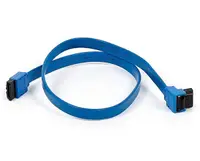 459934-001 - HP SAS/SATA Hard Drive Cable for ProLiant ML310 G5 Server$73.60
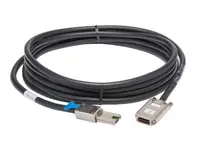 457892-001 - HP SATA/SAS Cable kit$134.40
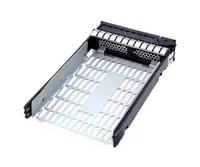 451375-001 - HP SATA/SAS Cable kit$134.40
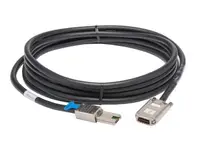 597514-001 - HP SAS/SATA Hard Drive Signal Cable for ProLiant BL685c G7 Server$148.00
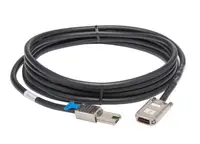 361316-010 - HP 22-inch SATA/SAS Cable$73.60
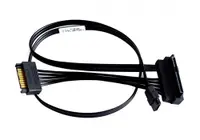 587747-002 - HP Single SAS to SATA Cable$121.60
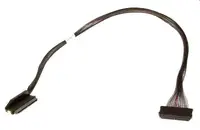 389952-001 - HP 4-Lane SAS/SATA Cable$54.40
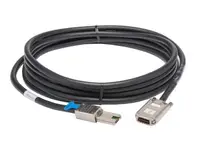 389948-001 - HP SAS/SATA Multi Lane Cable$54.40
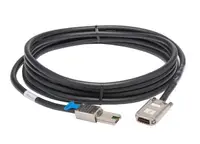 361316-002 - HP 70cm SAS/SATA Data Cable$54.40
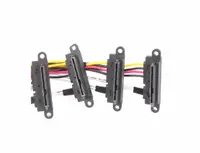 787091-001 - Hp Mini Sas To X4 Sas / Sata 300Mm Cable$129.60
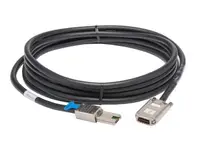 791719-001 - HP 490MM SATA to Mini SAS Cable$363.21
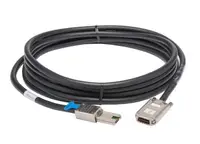 483508-002 - HP Mini SAS to 4X SATA Cable
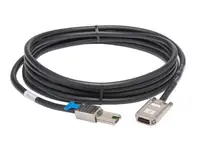 457874-001 - HP ProLiant DL160 G5 SAS/SATA Cable$73.60
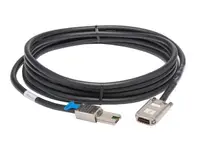 823078-001 - HP Mini SAS to SATA Power Cable$73.60
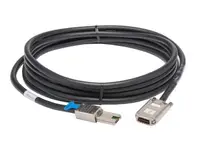 539371-001 - HP Mini SAS to 5 SATA Cable$145.60
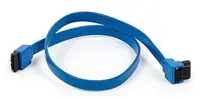 CBL-SAST-0631 - Supermicro SAS/SATA Data Transfer Cable$101.42
Browse all 506 SAS and SATA Cables SKUs.